Topics:
- Verify Your Web Server & PHP Environment
- Download & Install the Songbook Application
- Enable Adding Songs
- Troubleshooting MacOS Permissions
- Enable “Pretty” URLs
- Set Songbook Listing Page‘s Title
Topics:
A short video tour of Song-a-Matic‘s “full screen” editing mode (full video transcript follows)
Topics:
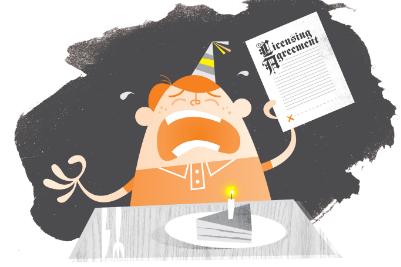
Artwork by Greg Harrison
Last year the Free Music Archive (a project spearheaded by Ken Freedman of “The Mighty” WFMU fame) fired the salvo heard round the copyright world (OK, actually just the indie rock/intellectual-property-rights-reforming/99% of the world, but still): they challenged all indie artists to unseat a certain century-old song‘s supremacy at birthday celebrations worldwide. Yes, folks, a call to arms for a Creative Commons replacement for the big kahuna: “Happy Birthday to You”!
The Free Music Archive wants to wish Creative Commons a Happy Birthday with a song. But there‘s a problem. Although “Happy Birthday To You” is the most recognized song in the English language and its origins can be traced back to 1893, it remains under copyright protection in the United States until 2030. It can cost independent filmmakers $10,000 to clear the song for their films, and this is a major stumbling block hindering the creation of new works of art.
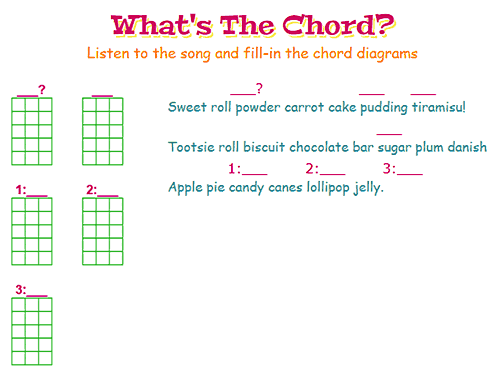
Sometimes one really can‘t see the forest for the trees, especially if you‘re the park ranger. Take, for example, this awesome idea from grade-school-uke-club-organizer-extraordinaire Charisse:
“I host (volunteer) a ukulele club at my kids‘ school. I‘m teaching 3-5th graders how to play ukulele and I find myself making lots of song sheets for them. [I plan to] “trick” the chord maker into printing blank chord pics above the lyrics. It‘s been a good learning tool for the kids to have to write in the fingering for the chords, but my handwritten diagrams are so messy.”
OK, that‘s awesome! And turns out it‘s easily done. Here‘s how.
One area that‘s always dogged the UkeGeeks song editor (aka “Song-a-Matic”) has been custom chords. Until now the only way you‘ve been able to define your own chords has been by hand typing klunky ChordPro “define” tags. Sure, it gets the job done, but who can remember the syntax? (trust me on this, I‘ve the memory of a gnat and am always referring back to the documentation).
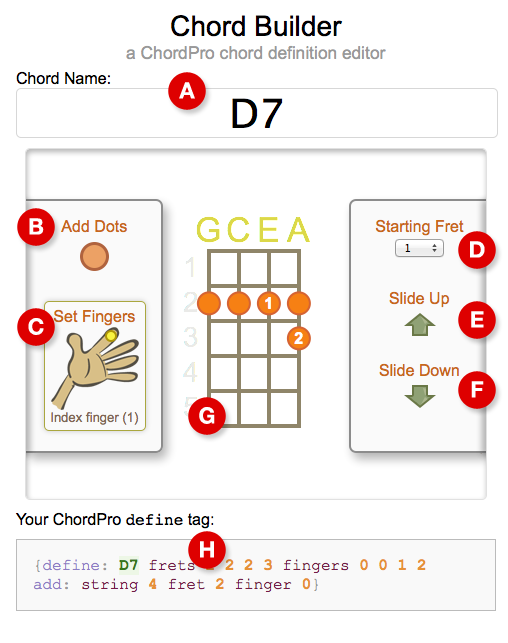
Resuming work on my oft promised, never delivered “visual chord definition editor” — a point-n-click way to generate ChordPro define tags for your
custom chord shapes. Try it, just click around (hosted on JSFiddle):

After 3 years ‘twas time for a change. Primarily it‘s a move from static HTML to WordPress, where I‘ve had some info for a while. I‘ve now one less excuse for not updating documentation.
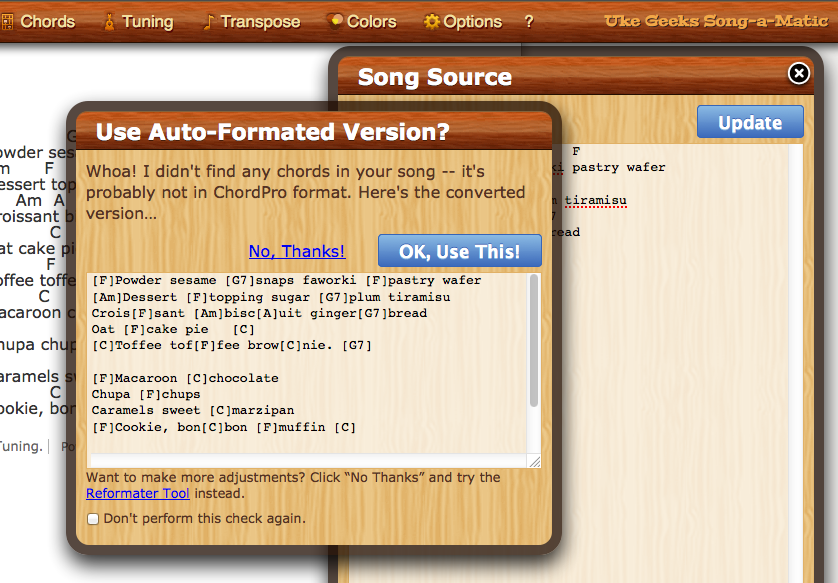
This 3 minute video tutorial covers the difference between “plain text” songs and ChordPro formated ones. It also demonstrates how the UkeGeeks editor can automatically do the conversion for you (as well as introducing a few common tags).
Sounds tre fantastic, no?
Have a favorite ukulele song that you‘d like to fit onto a single printed page (or save as a one page PDF for you iPad)? Quite a common task and, fortunately, quite easily accomplished.
This tutorial shows a few of the features in the Uke Geeks song editor that allow you to size, position, and scale your song to suit your needs.
You know I obsess sometimes, right? Well, a while back I was frustrated by the cruddy search results Google kept returning. To be fair the results were expected (GIGO, right?), but not all that useful — too many weak, or non-authoritative, or pure commerce sites kept infringing on what I considered “the correct” results should have been.
Solution: use Google to fix Google: Uke Fish (ukefish.com) is a custom Google search (can I name ‘em or what?).